Features Pricing How it works FAQ Client Portal
Sign In Get Started Free
Workflow

Set up once.
Run every case from there.

A simple workflow that keeps cases, hearings, documents, and outcomes in sync — from day one.

How it works

Five steps to a
better-run practice.

From intake to hearing outcome, LegalFlow keeps the story of every case in one place.

  1. Create your workspace

    Sign up, name your firm, and invite your team with role-based access. Takes two minutes.

  2. Configure courts & attorneys

    Add court locations, jurisdictions, and attorney profiles. Set it once — reuse everywhere.

  3. Import your matters

    Drag and drop a CSV or Excel file. AI Smart Import auto-maps your columns, validates data, and brings cases, clients, and users in seconds.

  4. Upload documents & orders

    Drop any legal document or court order. AI extracts parties, dates, provisions, and deadlines instantly.

  5. Stay ahead, always

    Daily AI Briefing, task management, calendar sync, notifications, and a client portal — keeps everyone aligned without a single email.

Daily workflow

Know what matters today.

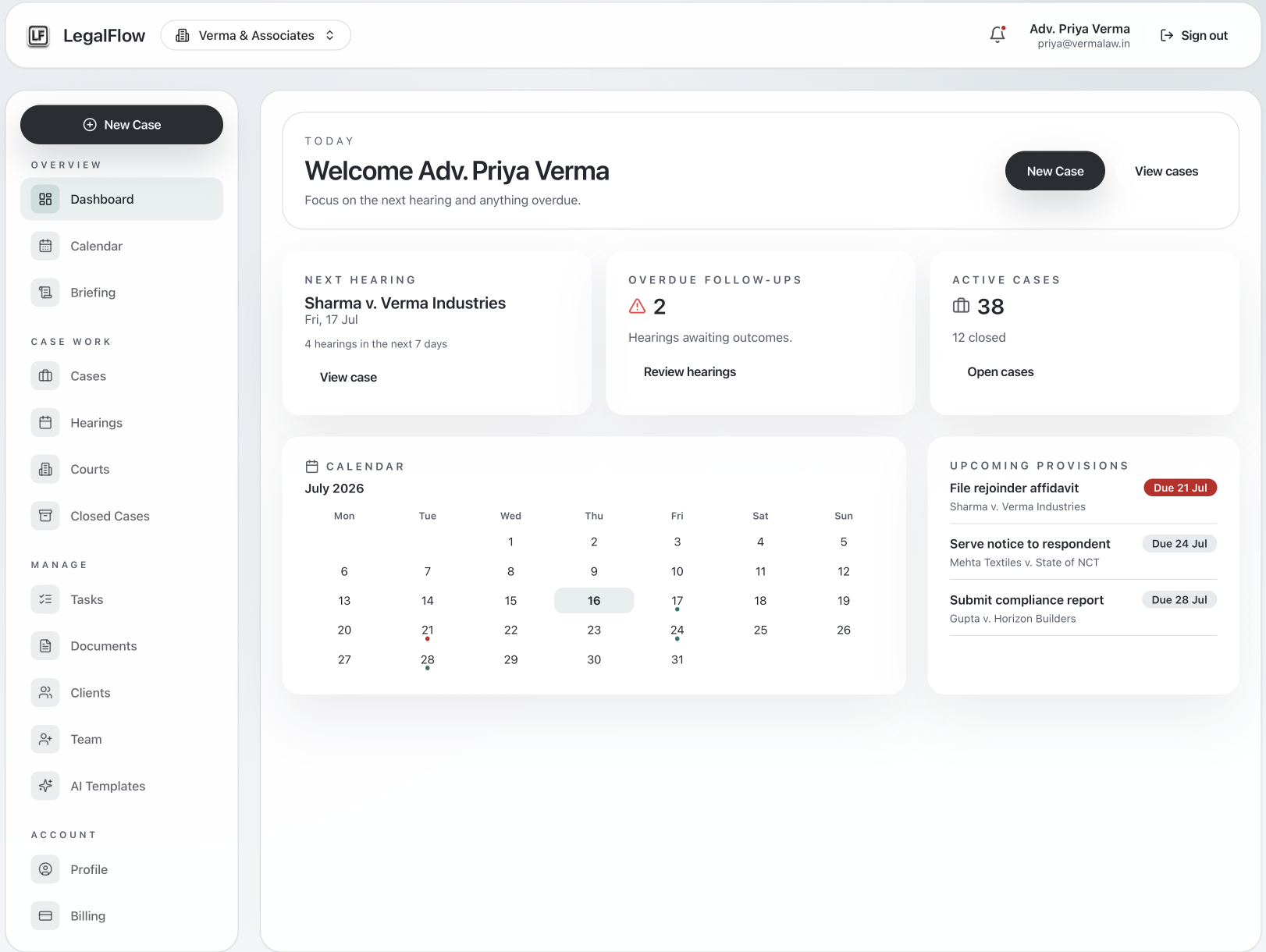
The dashboard highlights active cases, upcoming hearings, and provisions due — so your team starts each day focused on what's urgent.

Dashboard at a glance

  • AI Daily Briefing with today's priorities
  • Cases needing attention highlighted
  • Upcoming hearings and calendar view
  • Provisions & tasks due this week
  • Storage usage & document insights
  • Recent activity feed
Collaboration

Everyone stays aligned.

Role permissions and organization isolation keep case data protected while each person sees exactly what they need.

Court-ready history

LegalFlow keeps an ordered case timeline — hearing outcomes, orders, provisions — all printable for court filings or client updates.

Need help mapping your workflow? Email support@legalflow.ltd.

Ready to see it in action?

Start your LegalFlow workspace and bring every case into focus.

Get Started Free